Shopify is the better choice when you want to sell products and never think about the website underneath: hosting, security, updates and checkout are handled for you, and you pay for that in a monthly plan and app fees. WooCommerce is the better choice when you already run a WordPress site, want full control of your pages and data, or sell something Shopify handles awkwardly, and you pay for that in hosting and in the time someone spends keeping it updated. On a small store the card fees are the same on both, so the real decision is who maintains it, not which one is cheaper.
I build websites on WordPress and stores on Shopify, and I get asked this question more than any other ecommerce question. The honest answer is that neither is better; each one is wrong for a specific kind of business. This guide walks through what each costs, with the arithmetic shown, who keeps each one running, the SEO and speed differences I see as a developer, the case most comparisons ignore (a local business adding a shop to the site it already has), and when to pick the other one.
Shopify vs WooCommerce at a Glance
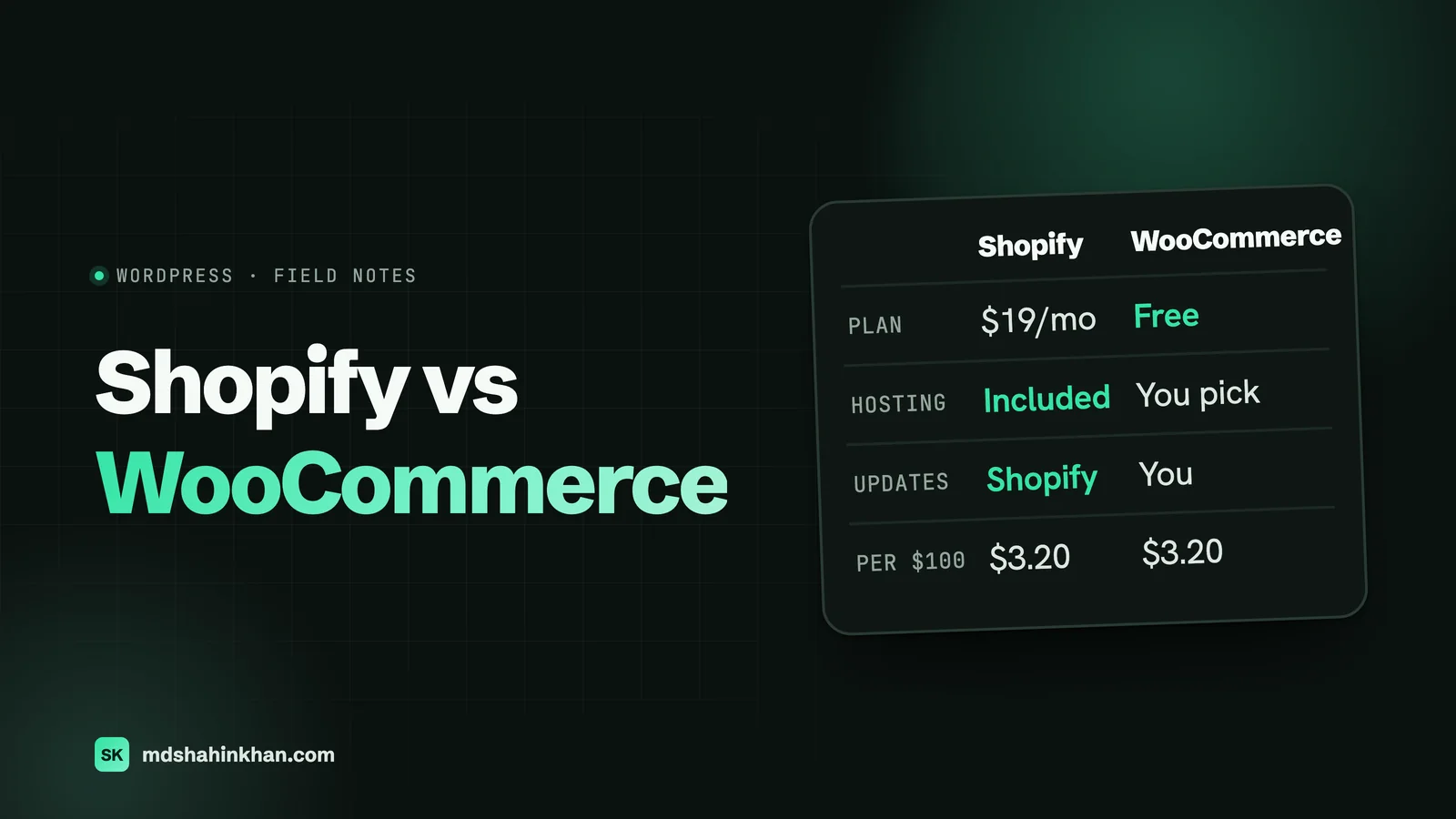
| Shopify | WooCommerce | |
|---|---|---|
| What it is | A hosted store platform you rent monthly | A free plugin that turns a WordPress site into a store |
| Monthly platform cost | From $19 a month on a yearly plan | $0 for the plugin |
| Hosting | Included | You choose and pay for it |
| Security, updates, backups | Shopify’s job | Yours, or your developer’s |
| Card fees (US, native processor) | 2.9% + 30¢ on Basic, lower on higher plans | 2.9% + 30¢ with WooPayments |
| Extra fee for other payment gateways | 2% on Basic, 1% on Grow | None |
| Design control | Themes plus Liquid code; checkout mostly fixed below Plus | Everything, including checkout |
| URL structure | Fixed (/products/, /collections/) | Anything you want |
| Best for | Product-first businesses that want no maintenance | Businesses already on WordPress, content-heavy stores, unusual products |
What Each One Really Costs
Most comparisons stop at “Shopify costs a monthly fee and WooCommerce is free”. That misses where the money actually goes. On both platforms the biggest cost of a working store is card processing, and it is almost identical. The differences are the plan fee, apps or extensions, hosting, and maintenance.
The Fees on a Single $100 Sale
| Setup | What you pay on a $100 card sale |
|---|---|
| Shopify Basic with Shopify Payments | $3.20 (2.9% + 30¢) |
| Shopify Grow with Shopify Payments | $3.00 (2.7% + 30¢) |
| Shopify Basic with a third-party gateway charging 2.9% + 30¢ | $5.20 ($3.20 to the gateway plus Shopify’s 2%) |
| WooCommerce with WooPayments, US card | $3.20 (2.9% + 30¢) |
| WooCommerce with WooPayments, international card | $4.70 (plus 1% more if the currency is converted) |
The line that surprises people is the third one. Shopify charges its own transaction fee on top of the processor’s whenever you use a payment gateway other than Shopify Payments. On a store doing $10,000 a month through another gateway on the Basic plan, that is $200 a month for nothing. If you choose Shopify, use Shopify Payments unless you have a specific reason not to.
Plan prices here are from Shopify’s US pricing page and WooCommerce’s own fee documentation at the time of writing. Shopify has changed its plan prices several times and shows local prices by country, so check the current page before you budget.
A Full Year for a Small Store
Say you sell 50 orders a month at an average of $60: $36,000 a year, 600 orders. These are my assumptions, shown so you can swap in your own numbers.
| Cost | Shopify (Basic, yearly plan) | WooCommerce |
|---|---|---|
| Platform plan | $228 | $0 |
| Card fees at 2.9% + 30¢ | $1,224 | $1,224 |
| Apps or extensions (my assumption) | $360 (about $30 a month) | $200 (a few yearly licences) |
| Hosting | Included | $200 (a reasonable small-store plan) |
| Domain | $15 | $15 |
| Total before maintenance | $1,827 | $1,639 |
| Maintenance by a developer (my assumption: $75 a month care plan) | Rarely needed | $900 |
| Total if you pay for maintenance | $1,827 | $2,539 |
So for a small store, WooCommerce is cheaper only if you or someone on your team handles the updates. If you would pay a developer to keep it safe, Shopify is cheaper and less work.
For the hosting line, I would start a small WooCommerce store on a plan like Hostinger’s Business or Cloud hosting. This site runs on Hostinger’s Cloud plan. (That is an affiliate link: if you sign up through it I may earn a commission, at no extra cost to you.) Whatever host you choose, look at the renewal price, not the headline one: most hosts price the first term low and renew higher, and your budget should assume the renewal.
A Full Year for a Busier Store
Now 500 orders a month at $80: $480,000 a year, 6,000 orders.
| Cost | Shopify (Grow, yearly plan) | WooCommerce |
|---|---|---|
| Platform plan | $588 | $0 |
| Card fees | $14,760 (2.7% + 30¢) | $15,720 (2.9% + 30¢) |
| Apps or extensions (my assumption) | $1,800 | $600 |
| Hosting | Included | $900 (managed hosting) |
| Domain | $15 | $15 |
| Maintenance (my assumption) | Rarely needed | $1,800 |
| Total | $17,163 | $19,035 |
At this size card fees are more than four fifths of the bill on either platform, and Shopify’s lower card rate on the Grow plan outweighs its plan fee. A WooCommerce store at this volume closes the gap by negotiating lower card rates with its processor, which Stripe and most merchant accounts will discuss once you are processing this much. The lesson for both sizes: compare the card rate you will actually pay, not the plan price.
Who Keeps It Running
This is the part the cost tables cannot show, and it decides most of my recommendations.
Shopify is rented. Shopify runs the servers, applies security fixes, keeps the checkout PCI compliant, and backs everything up. Your job is products, orders and marketing. What you give up is control: you live inside what Shopify allows, and if an app you depend on changes its pricing or shuts down, you adapt.
WooCommerce is owned. The plugin, WordPress, the theme and every extension release updates on their own schedules, and someone has to apply them, test that checkout still works, and fix the occasional conflict. On a small, well-built store that is typically an hour or two a month. Skip it for six months and you are running outdated software on a site that takes payments, which is exactly how stores get compromised. The upside of owning it is that nothing about the store can be changed or taken away by a platform decision.
If you have nobody to do the updates and no budget to pay someone, choose Shopify. That one question settles more of these decisions than any feature list.
Design, Apps, and Plugins
Both have thousands of themes. The difference is how far you can go past the theme.
Shopify themes are edited in the theme editor and, for anything beyond it, in Liquid, Shopify’s template language. You can build almost any storefront, but the checkout is largely fixed unless you are on Shopify Plus. Features Shopify does not include come from apps, and apps are where Shopify’s monthly cost creeps up: a reviews app, a subscriptions app, an upsell app and a better search app can together cost more than the plan.
WooCommerce is WordPress, so the whole site, including checkout, is editable. Extensions are usually yearly licences rather than monthly subscriptions, which is cheaper over time but means more parts to keep compatible. The quality range is wide: a store built on a handful of well-maintained extensions is solid, and one built on thirty cheap plugins is fragile.
SEO and Speed
Both can rank well. The differences are in how much you control.
- URLs. Shopify fixes the structure: products live under
/products/, categories under/collections/, blog posts under/blogs/news/. You cannot change those prefixes. WooCommerce lets you shape every URL, which matters most when you are migrating an existing site and want to keep its URLs. - Duplicate paths. Shopify can serve the same product under a collection path and its own path. It handles this with canonical tags, and it works, but it is a thing to know when you audit a Shopify store.
- Control of the technical basics. Both let you edit titles, descriptions, redirects and structured data. Shopify now lets you edit
robots.txtthrough a theme template; WooCommerce gives you full server-level control. - Speed. Shopify’s hosting and CDN are fast by default. What slows Shopify stores down is apps that inject scripts into every page. WooCommerce speed depends almost entirely on the hosting and the plugins you choose: a lean store on decent hosting is quick, and a heavy one on cheap shared hosting is not.
- Content. If your plan is to win search traffic with guides and articles, WordPress is the stronger publishing tool, which is one reason content-led brands lean towards WooCommerce.
Payments and Checkout
Shopify’s checkout is its strongest feature. It is fast, familiar to shoppers, and Shop Pay lets returning customers pay in a couple of taps. You cannot rebuild it freely below Shopify Plus, but most stores never need to.
WooCommerce’s checkout is fully customisable, which is useful for unusual orders (bookings with deposits, custom quotes, B2B pricing) and a liability if someone customises it badly. WooPayments, Stripe and PayPal all work, with no platform fee on top. International cards and currency conversion cost extra with WooPayments, so a store selling abroad should compare processors.
The Local Business Case: Adding a Shop to the Site You Have
Most comparisons assume you are starting an online store from scratch. The businesses I work with usually are not: a dental practice that wants to sell whitening kits and gift cards, an auto shop that wants to take deposits for bookings or sell gift certificates, a professional firm that wants to sell a paid consultation.
For them the question is different. They already have a WordPress site with their reviews, their service pages and their local rankings. Adding WooCommerce to that site keeps everything in one place, one login and one set of search rankings. Spinning up a separate Shopify store means a second site, usually on a subdomain or a separate domain, a second design to maintain, and product pages that do not benefit from the authority the main site has built.
So for a service business adding a few products, deposits or gift cards to an existing WordPress site, WooCommerce on the site you already have is usually the right answer. For a business whose main job is selling products, and whose site is mostly the store, Shopify usually is. If your main site’s local visibility matters most, start with local SEO for small business before you think about a shop at all; the same principles I describe for dental practice websites and law firm websites apply to any service site that later adds ecommerce.
When Each One Is the Wrong Choice
Shopify is the wrong choice when:
– you already run a WordPress site and want to add a small shop to it;
– you want to use a payment processor other than Shopify Payments on the Basic plan, because the extra 2% adds up quickly;
– your product needs an unusual checkout (complex bookings, custom quotes, deposits with balances);
– you publish a lot of content and want one system for articles and products;
– you are uncomfortable building a business on a platform you rent and cannot move off without a migration.
WooCommerce is the wrong choice when:
– nobody will apply updates and you will not pay someone to;
– you want the cheapest possible hosting, because a store on underpowered hosting is slow and loses sales;
– you sell a large catalogue with many variants and heavy traffic and do not have a developer, because WooCommerce at scale needs care;
– you want a store running in a weekend with no technical help.
Switching Later
You are not locked in either way, but switching is a project, not a button.
WooCommerce to Shopify is the more common direction, usually because a growing store no longer wants to manage updates. Products, customers and orders can be moved with Shopify’s own import tools or migration services. The work that matters is the URL map: every old product and category URL needs a permanent redirect to its new Shopify address, or you lose the search traffic you earned.
Shopify to WooCommerce usually happens when a store wants more control or lower app costs. The data moves the same way. The advantage in this direction is that WooCommerce can keep URLs close to the old ones, which makes the redirect map shorter.
In both directions, plan for the redirects, test checkout before switching the domain, and expect a few weeks of watching search traffic afterwards.
Frequently Asked Questions
How Much Does Shopify Take From a $100 Sale?
On the Basic plan with Shopify Payments, $3.20: a card fee of 2.9% plus 30 cents. On the Grow plan it is $3.00. If you use a payment gateway other than Shopify Payments on Basic, Shopify adds its own 2% transaction fee on top of the gateway’s fee, so the same sale costs about $5.20. Shopify does not take a commission beyond these fees, but plan and app fees come on top each month.
What Is the Disadvantage of Shopify?
You rent it. Monthly plan and app fees add up over time, the checkout is mostly fixed below Shopify Plus, URL prefixes cannot be changed, and using a payment gateway other than Shopify Payments costs an extra transaction fee on the lower plans. If Shopify changes its pricing or policies, your store changes with it. For many product businesses those trade-offs are worth the lack of maintenance; for a service business with an existing WordPress site they usually are not.
Is Shopify Still Worth It in 2026?
Yes, for businesses whose main job is selling products and who want no responsibility for hosting, security or updates. Its checkout converts well, it scales without a developer, and its plan fee is small next to card processing once a store has real sales. It is less worth it for a business that already runs WordPress, sells only a few items, or needs an unusual checkout.
What Are the Downsides of Using WooCommerce?
You own the maintenance. WordPress, WooCommerce, the theme and each extension need regular updates, and a store that is not kept current becomes a security risk. Speed depends on the hosting and plugins you choose, extensions from different developers can conflict, and there is no single company to call when something breaks. With good hosting, a lean set of extensions and someone applying updates, those downsides are small.
Is WooCommerce Better Than Shopify?
Neither is better in general. WooCommerce is better when you already have a WordPress site, need full control, publish a lot of content or have an unusual checkout. Shopify is better when you want to sell without maintaining anything, need a fast, trusted checkout out of the box, or have no technical help. The honest tiebreaker is who will keep the store updated.
How Much Does WooCommerce Cost?
The plugin is free. A small store typically pays for hosting (roughly $100 to $300 a year for a suitable plan, more for managed hosting), a domain (about $15 a year), a few paid extensions (anywhere from nothing to a few hundred dollars a year), and card fees of 2.9% plus 30 cents per US card sale with WooPayments. The cost people forget is maintenance: an hour or two a month of updates, or a care plan if you pay a developer.
If you are deciding between the two for a real business, book a free 30-minute call and I will tell you which one I would pick for your situation and why, whether or not we work together. You can also see the sites and stores I have built.