Local SEO is the work of making your business the one Google shows when someone nearby searches for what you do: “emergency dentist near me”, “brake repair in Plano”, “family lawyer Tampa”. For a small business it comes down to four things: a complete, verified Google Business Profile, a steady flow of reviews, a website with a page for each service and each place you serve, and consistent name, address and phone details everywhere else. This guide explains how Google ranks the map pack, what to do in what order, what it costs, and ends with a checklist you can print.
I am a freelance web developer, not an agency. I build and rebuild WordPress sites for dental practices, law firms and auto shops, and I run the technical side of local SEO on most of them. The examples here are from that work, and the numbers are Google’s own, Ahrefs data I pulled for this article, and one practice I rebuilt that went from under 100 to more than 7,000 organic visits a month.
What Local SEO Is (and Why the Map Pack Matters More Than Page One)
Search for a service with a place in it, or with “near me” on the end, and Google shows two sets of results. At the top, a map with three businesses under it: the map pack, also called the local pack. Below it, the normal ten blue links. Local SEO is about winning both, but for a small business the map pack is where the phone calls come from, because it shows the rating, the hours and a call button before anyone reaches a website.
The two are ranked differently. The map pack is decided mostly by your Google Business Profile and reviews. The organic results are decided by your website. That split is the most useful thing to understand, because it tells you where each hour of work goes:
| Surface | What decides it | What you control |
|---|---|---|
| Map pack (top three on the map) | Google Business Profile: category, completeness, reviews, distance from the searcher | The profile, the review routine, the address and service area |
| Organic results below the map | Your website: a page for the service, the city in the title, links, speed | The site’s pages, structure and technical health |
| AI Overview (on many “how” and “what” searches) | Pages that answer the question directly, with structure | Guides on your site written answer-first |
A shop with a perfect website and a neglected profile loses the map pack to a competitor with a worse website and 200 reviews. A shop with a great profile and a one-page website wins the map but loses every “cost”, “vs” and “how long” search to the competitor who wrote the page. You need both, and the profile comes first because it is faster.
How Google Ranks the Map Pack: Relevance, Distance, Prominence
Google publishes the three factors, in its own words:
- Relevance: “how well a Business Profile matches what someone is searching for.” Your primary category, your services list, your business description, and the words in your reviews.
- Distance: “how far each business is from the customer who’s searching.” You cannot change where you are, but you can tell Google where you serve.
- Prominence: “how well-known a business is.” Google names links to your site, your review count and your rating, and it also uses what it knows about you across the web.
Google adds one more sentence that matters: “there’s no way to request or pay for a better local ranking on Google.” Anyone selling guaranteed map-pack positions is selling something else.
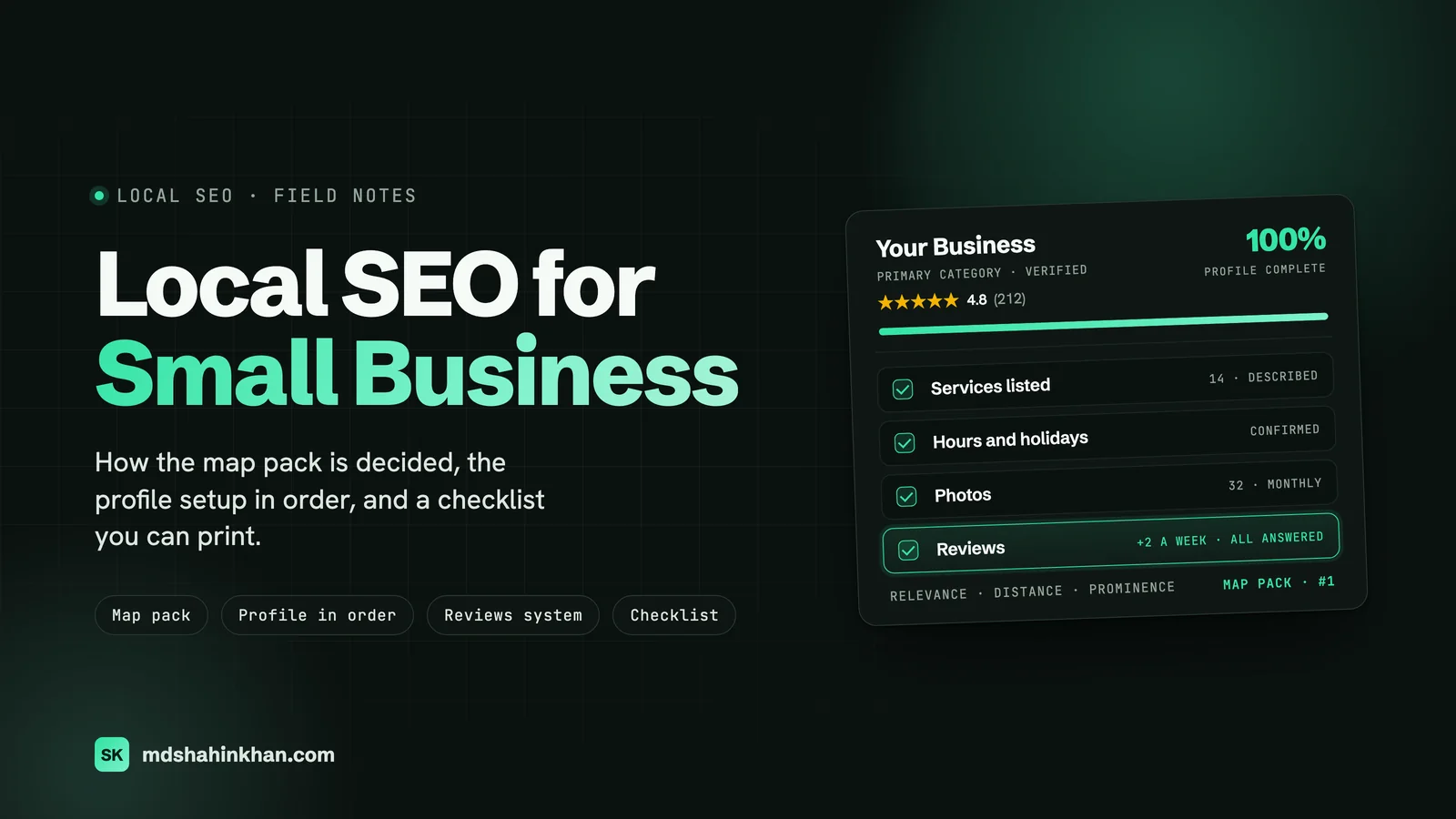
The industry’s own measurement agrees with Google’s list. Whitespark’s 2026 Local Search Ranking Factors survey puts Google Business Profile signals at about a third of what decides the map pack, review signals at about a fifth (up from 16% in 2023), and on-page website signals at about another fifth. Proximity to the searcher is the single biggest input, which is why the same business ranks first from one street and fifth from three miles away.
What that means in practice: you can move relevance (category, services, content) and prominence (reviews, links, citations) a great deal, and distance a little (service areas, a second location, location pages). The rest of this article is those three levers, in the order that pays fastest.
What People Actually Search
Before deciding what to build, it helps to see the searches and which surface each one shows. I pulled these from Ahrefs for the US in September 2026:
| What people type | Searches a month (US) | Difficulty (0 to 100) | What Google shows |
|---|---|---|---|
| what is local seo | 5,500 | 60 | AI Overview |
| google business profile optimization | 3,200 | 39 | AI Overview |
| local seo for small business | 2,900 | 6 | AI Overview, People Also Ask |
| local seo services for small business | 2,300 | 3 | Map pack |
| google maps seo | 2,000 | 7 | AI Overview |
| local citations | 1,800 | 0 | People Also Ask |
| how to get google reviews | 1,700 | 47 | Discussions |
| local seo checklist | 1,600 | 37 | AI Overview |
| near me seo | 500 | 2 | Map pack |
| service area business seo | 500 | 0 | Discussions |
| location pages seo | 300 | 0 | AI Overview |
| how to rank on google maps | 150 | 2 | AI Overview |
Two things stand out. Questions about how local SEO works get an AI Overview, which means the answer is being lifted from pages written clearly enough to quote. And the searches with buying intent (“local seo services”, “near me”) show a map pack, which is the same surface your customers see when they search for you. If you learn nothing else from the table: the map pack is decided by the profile, and the profile is the cheapest thing on this list to fix.
Google Business Profile Setup, in Order
This is the highest-return hour a small business owner can spend on marketing. Do it in this order, because each step depends on the one before.
- Claim and verify the profile. Verification tells Google you are authorised to represent the business. Until it is verified, nothing else counts. Video verification is now the common route; have the signage, the interior and a piece of business mail ready.
- Primary category. This is the single most important field on the profile. Pick the most specific category that describes most of your revenue (“Personal injury attorney”, not “Law firm”; “Auto repair shop”, not “Car repair”). Add secondary categories for the rest. Check what the top three in your map pack use; it is public.
- Name, address, phone, exactly as they appear on the sign and the website. No keywords stuffed into the name. It gets reported, and suspensions take weeks to lift.
- Hours, including holiday hours. A profile that says “open” when the door is locked earns one-star reviews, and Google shows “might be closed” warnings on profiles that never confirm hours.
- Services and products, each with a two-sentence description. This is where relevance comes from. A dentist lists every procedure; a shop lists every repair; a firm lists every practice area.
- The business description, 750 characters, written for a customer: who you serve, where, and what makes the visit easy (parking, hours, insurance, financing).
- Photos: the exterior (so people recognise it from the street), the interior, the team, the work. Google’s minimum is 720 by 720 pixels. Add a few every month; a profile that stops changing looks closed.
- Attributes: wheelchair access, women-owned, languages, payment types, appointments required. Some of these are filters in Maps.
- The booking or appointment link, and the website link pointing at the right page, not always the home page.
- Questions and answers. Seed the five questions the front desk hears most, and answer them yourself. Anyone can answer otherwise.
Then the two ongoing parts: reviews (next section) and posts. Posts are a small factor, but a photo and three lines every couple of weeks tells Google and customers the business is alive.
Reviews: A System, Not a Request
Reviews are about a fifth of the map pack, and they are the part most owners handle worst, because “ask for reviews” is not a process. This is the one I set up with every client, and it works because the front desk does not have to remember anything.
- One named owner. The office manager, the service writer, the paralegal. Not “everyone”.
- The ask happens at the moment of satisfaction, by text, with a direct link to the review form (the short link Google gives you in the profile), within an hour of the visit. Email works half as well; a card on the counter works a tenth as well.
- A target, not a hope. Two reviews a week is the floor for a single-location business. Google weighs recency, so a burst of 40 reviews in one month followed by silence is worse than steady.
- A reply to every review within a working day, including the good ones. Google says responding “shows that you value their feedback”; it also shows the next reader that someone is home.
- Never buy, gate or filter. Asking only happy customers through a “how did we do?” funnel violates Google’s policy and gets profiles suspended.
- Reviews that mention the service help the service rank. You do not ask for keywords, but “how was your implant consultation?” produces reviews that say “implant”.
On the dental implant practice I write about below, the practice ran this routine itself, and the review count is a large part of why the map pack moved before the website did.
Location Pages That Earn Their Place
A location page is a page on your site for one place you serve: a second office, or a town you draw customers from. They work when they are real and they are a liability when they are copies. The test I apply to every location page: would this page exist if Google did not? If the only reason is ranking, it is thin, and Google’s filter for doorway pages catches it.
A location page that earns its place has:
| Section | Why it is there |
|---|---|
| H1 “[Service] in [Town]” and a short opening naming the town | Matches the search |
| Directions from that town, travel time, parking, transit | Useful to a real visitor; impossible to fake at scale |
| The services people from that town book most | Genuinely different per town, and it links down to the service pages |
| Reviews from customers in that town (quoted, with permission) | Proof that you actually serve it |
| The team member who covers that area, with a photo | E-E-A-T; also the human reason to choose you |
Local schema (LocalBusiness with the areaServed) | Machine-readable version of the above |
| An embedded map and the call and booking buttons | The page’s job is the call |
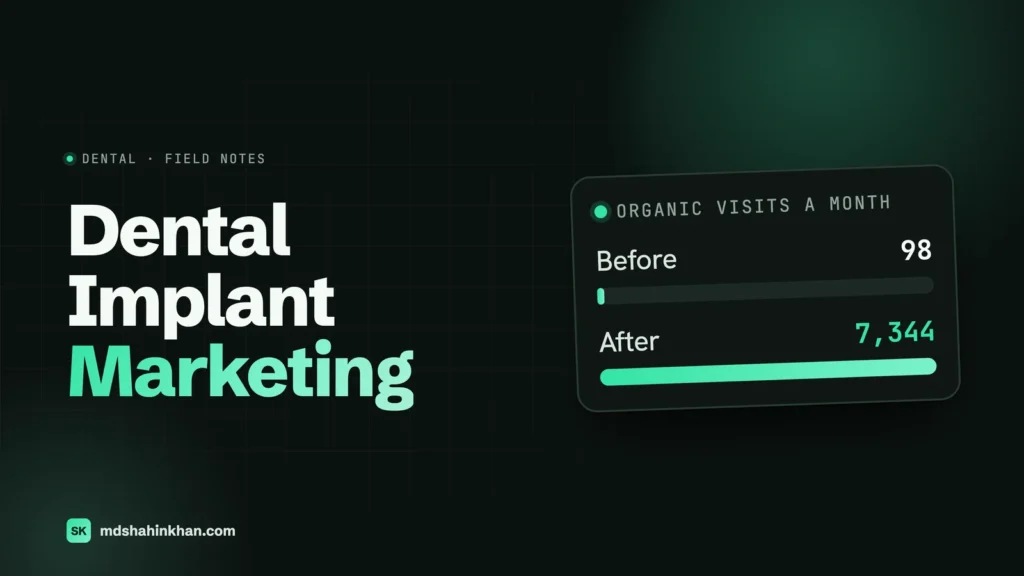
On a US dental implant practice I rebuilt, ten location pages for the surrounding communities were built this way, with directions, local reviews and the procedures those patients booked most. Combined with a page per procedure and a cost hub, the site went from an estimated 98 organic visits a month to 7,344 in about two years. The full case study has the chart. The point for this article: none of those ten pages were a template with the city name swapped.
Service-Area Businesses Without a Storefront
Plumbers, electricians, mobile mechanics, cleaners: you go to the customer, and you may not want your home address on a map. Google handles this with a service-area business profile: you hide the address and list the towns or postcodes you serve (up to 20 areas, and the area should be within roughly two hours’ drive).
Three things trip people up:
- Distance still applies. Google uses your hidden address as the centre. A business based at the edge of its service area ranks poorly at the far edge. If the far edge matters, a second verified location there is the honest fix; a virtual office is not.
- You still need location pages, but the “would it exist anyway” test is stricter, because you have no premises in that town. Directions from the town to you make no sense; what belongs on the page is the response time, the technician who covers it, the jobs you do there, and reviews from that town.
- Service pages carry more weight than for a storefront business, because the service is what people search for and there is no walk-in traffic. One page per service, with pricing guidance, is the site’s core.
“Near Me” Myths
“Near me” has 500 searches a month for “near me seo” and it is the most-misunderstood phrase in local search.
- You do not put “near me” on your pages. Google resolves “near me” to the searcher’s location and then ranks businesses by the three factors above. A page titled “Plumber Near Me” ranks for nothing; a page titled “Plumber in Frisco, TX” ranks for the near-me searches made in Frisco.
- You cannot rank “near me” everywhere. Distance is the biggest factor. What you can do is make sure every town you serve has a reason to show you: a service area on the profile, a real location page, reviews from there.
- “Near me” searches are mostly map-pack searches. The profile decides them. If your near-me visibility is poor, the fix is in the profile and reviews, not the website.
Citations and NAP: What Still Matters
A citation is any mention of your name, address and phone (NAP) on another site: directories, the chamber of commerce, the dental board, Yelp, Apple Maps, Bing Places. Ten years ago citation volume was a ranking lever. Today it is mostly a consistency check: Google cross-references your details across the web, and a business with three different phone numbers and two spellings of its address looks unreliable.
What is worth doing, once:
- Fix the big aggregators and the platforms people actually use: Apple Maps (Apple Business Connect), Bing Places, Yelp, Facebook, and the one or two directories that matter in your industry (the state bar for a firm, healthgrades-type sites for a practice, Carfax/RepairPal for a shop).
- Make the NAP identical everywhere, character for character, and identical to the website footer.
- Close or merge duplicate profiles. Duplicates split your reviews and confuse the distance calculation.
What is not worth paying for monthly: bulk submissions to 200 directories nobody visits. Do the ten that matter, then stop.
On-Site Local Signals and Schema
The website’s share of the map pack is small; its share of the organic results below the map is everything. The signals that matter, in order of return:
- One page per service, with the city in the title tag and H1. This is the single biggest on-site lever, and most small business sites have one “Services” page instead. It is the structure behind every result I show clients: dental practices, law firms and auto shops all follow it.
- NAP in the footer of every page, matching the profile exactly, marked up with
LocalBusinessschema (or the specific type:Dentist,LegalService,AutoRepair). - The Google Business Profile and the website pointing at each other, with the profile’s website link going to the relevant page.
- An embedded map on the contact page and click-to-call phone numbers on mobile.
- Speed on a phone. Most local searches happen on mobile, often standing in a car park. If the page takes four seconds, the searcher taps the next result.
- Reviews on the site, pulled from Google with schema where allowed, so the rating appears in organic results too.
- FAQ blocks on service pages with
FAQPageschema, written from the questions the front desk actually hears. They win the People Also Ask boxes and feed AI Overviews.
Put the schema in the page templates, not in a per-page plugin field. Typed by hand, it is wrong by the tenth page. Generated from the template, it is never wrong.
How This Changes by City
Local SEO is not the same job in a town of 20,000 and a metro of 5 million.
| Small town or suburb | Mid-size city | Large metro (Dallas, Chicago, LA, NYC) | |
|---|---|---|---|
| Map pack competition | A complete profile with 30+ reviews often wins | Reviews and category precision decide; 100+ reviews is the bar | Proximity slices the city into neighbourhoods; you rank in yours, not the metro |
| Website | Service pages with the town name; location pages rarely needed | Service pages plus pages for the two or three towns you draw from | Service pages plus neighbourhood pages, and content depth to win organic |
| What to stop doing | Paying an agency retainer for a market you can win alone | Spending on ads before the profile is complete | Chasing the metro-wide term; win the neighbourhood searches instead |
The honest version of “how long”: in a small market, a complete profile and a review routine show in the map pack within one to two months. In a large metro, it is three to six months for the neighbourhood searches, and the metro-wide term may never be worth chasing.
What Local SEO Costs, and Whether to Do It Yourself
Most of the value in local SEO is front-loaded, and most of the ongoing work is a routine the business can run itself. The honest structure of the cost:
| Stage | What it is | Who does it | Typical cost |
|---|---|---|---|
| Foundation (one-off) | Profile set up properly, service pages, location pages, schema in the templates, speed, citations fixed | A developer | A one-off project fee; far less than a year of retainer |
| Reviews and profile (ongoing, in-house) | The review routine, replies, monthly photos and posts | Front desk, an hour a week | Free |
| Content (light) | A new service page when you add a service; a guide when customers keep asking the same question | You write, the developer structures | Occasional |
| Monitoring (monthly) | Search Console, the map-pack position for your five key searches, calls and forms by page | A developer, small monthly fee | Small |
Published 2026 guides put agency local SEO retainers anywhere from a few hundred to a few thousand dollars a month. A single-location business that gets the foundation right and runs reviews itself usually does not need one. What a retainer buys, in a competitive metro, is content volume and link building.
Can you do it yourself? The profile, reviews, citations and the writing, yes, and you should, because nobody knows the business like you do. The parts worth paying a developer for once are the site structure, the page templates, the schema and the speed, because mistakes there are invisible until rankings drop. The 90-day plan in the law firm SEO guide and the procedure-page structure in the dental SEO guide are the same method applied to one industry each.
Measuring
Rankings are what agencies report and what matters least, because they change street by street. What tells you local SEO is working:
- Calls and form submissions from organic search, by page (GA4 events, and a call-tracking number that swaps in for organic visitors).
- Google Business Profile performance: calls, direction requests and website clicks from the profile, month over month. It is in the profile dashboard, free.
- Map-pack position for your five most important searches, checked from a phone in the areas you serve, not from your desk (distance).
- Review count and rating against the two businesses above you in the pack.
- Search Console clicks and impressions per service page.
And the one habit that beats every dashboard: ask every new customer how they found you, and write it down.
The Local SEO Checklist
Print this. Work top to bottom; the order is the order of return.
Google Business Profile
- Claimed and verified
- Most specific primary category; secondary categories added
- Name, address, phone identical to the sign and the website
- Hours correct, holiday hours set
- Every service and product listed with a two-sentence description
- 750-character description written for a customer
- Exterior, interior, team and work photos; a few added every month
- Attributes, booking link, website link to the right page
- Five Q&As seeded and answered
Reviews
- One named owner of the routine
- Text with the direct review link within an hour of the visit
- Target: two a week minimum
- Every review answered within a working day
- No buying, gating or filtering
Website
- One page per service, city in the title and H1
- Location pages only where you can pass the “would it exist anyway” test
- NAP in the footer, matching the profile, with
LocalBusinessschema - Embedded map and click-to-call on the contact page
- Under two seconds on a phone; Core Web Vitals passing
- FAQ blocks with
FAQPageschema on service pages - Profile and website link to each other
Citations
- Apple Business Connect, Bing Places, Yelp, Facebook, the industry directories that matter
- NAP identical everywhere
- Duplicate profiles closed or merged
Measurement
- GA4 events for calls and forms; call tracking for organic
- Profile performance checked monthly
- Five key searches checked from a phone in the service area
- “How did you find us?” asked and logged
Frequently Asked Questions
How Much Should I Pay for Local SEO?
For a single-location business, the biggest cost is a one-off: the profile set up properly, a page per service, location pages where they are justified, schema and speed. After that the ongoing work is a review routine your team runs for free and a small monthly monitoring fee. Agency retainers in 2026 guides range from a few hundred to a few thousand dollars a month; they make sense in a competitive metro where you need content volume and links, and rarely for a small-town business that has done the foundation.
Can I Do Local SEO Myself?
Most of it, yes. The Google Business Profile, the review routine, citations and the writing are all things an owner or office manager can do with an hour a week, and this article’s checklist is the order to do them in. The parts worth paying a developer for once are the site structure, page templates, schema and speed, because mistakes there are invisible until rankings drop.
How Can I Increase My Google Maps Ranking?
Complete and verify your Google Business Profile with the most specific primary category, list every service with a description, keep hours accurate, and add photos monthly. Then run a review routine that produces steady reviews and reply to every one. Make sure your website has a page for each service with your city in the title and your address and phone in the footer, matching the profile exactly. Those three things move relevance and prominence, which are the two factors you control; distance you can only influence with service areas and real locations.
Can I Pay Google to Rank Higher?
No. Google states that “there’s no way to request or pay for a better local ranking on Google.” Google Ads can put a paid pin on the map and an ad above the results, and that is worth doing in some markets, but it does not change your organic map-pack position, and anyone guaranteeing a top-three position is selling something else.
Can ChatGPT Do SEO?
It can draft service-page copy, suggest categories and questions for a FAQ, and write review replies, and I use it for first drafts. It cannot verify your profile, take photos of your shop, earn reviews, fix a slow site, or know what your customers actually ask at the counter. Used for drafts that a human edits, it saves hours; used to publish twenty auto-generated location pages, it produces exactly the thin pages Google filters.
How Long Does Local SEO Take?
Map-pack improvements usually show within 60 to 90 days of completing the profile and starting a review routine, faster in small markets. Organic rankings for service pages take three to six months in a mid-size city and longer in a large metro. The dental implant practice in this article took about two years to go from under 100 to over 7,000 visits a month, and most of the growth came in the second year, after the structure was in place.
If you want a second opinion on your profile and your site’s structure, book a free 30-minute call. We look at your profile, your top five searches and your nearest competitors, and you leave with a written plan whether or not we work together. The industry versions of this guide: SEO for lawyers, dental SEO and the law firm marketing plan.