You cannot export a Wix site, so moving to WordPress means rebuilding the design in WordPress, copying the pages and blog posts across, and redirecting every old page address to its new one so Google passes your rankings over. Keep the Wix site live until the new site is finished, point your domain at the new hosting in one step, check everything on launch day, and cancel Wix last. Done in that order, a small business site moves without losing its place in Google.
Most of the moves I am asked about start the same way: the Wix site did its job for a few years, the business grew, and now the owner wants more pages, more control or better search results. The move itself is not hard. What goes wrong is almost always the same three things: the old page addresses are not redirected, the email stops because the domain records were changed carelessly, or search engines are left blocked after launch. This guide covers each step in the order I do it, with those three handled properly.
What Moves and What You Rebuild
Wix’s own help pages are clear that a Wix site cannot be exported or hosted anywhere else. Some content can be carried across; the rest is rebuilt.
| Part of your site | How it gets to WordPress |
|---|---|
| Design and layout | Rebuilt in a WordPress theme or page builder |
| Pages | Copied across by hand (text, headings, images) |
| Blog posts | Wix’s RSS feed carries only the 20 most recent posts; older ones are copied by hand |
| Images | Downloaded from Wix and uploaded to WordPress |
| Page titles, descriptions, alt text | Copied by hand into WordPress and an SEO plugin |
| Contact forms | Rebuilt with a WordPress form plugin |
| Bookings | Rebuilt with a booking plugin, or linked to the booking software you already use |
| Store products | Exported from Wix as a spreadsheet (up to 5,000 rows) and imported into WooCommerce |
| Form entries, members, reviews collected by Wix apps | Usually exported where Wix allows it, otherwise kept as a record and left behind |
| Domain | Pointed at the new hosting, or transferred away from Wix |
| Unchanged, as long as its DNS records are copied correctly |
WordPress.com has a Wix importer that brings across static pages, images and menus. It works on WordPress.com’s hosted service; for a self-hosted WordPress site on your own hosting, which is what I build and recommend for a business, the pages are moved by hand.
Before You Start
Collect these five things before you build anything. They are the difference between a clean move and a lost year of rankings.
- Every page address on the Wix site. Open
yourdomain.com/sitemap.xmlin a browser; Wix links from there to separate lists of your pages, blog posts and products. Save every one of them. - Your Search Console data. If you do not have Google Search Console set up, set it up now and let it collect a few weeks of data. The Performance report shows which pages bring visitors, and those are the pages that must redirect perfectly.
- Your titles and descriptions. For each page that gets traffic, note the SEO title and meta description from the Wix SEO settings.
- Where your forms send. Note every form, what it asks and which inbox receives it.
- Your domain and email setup. Find out where the domain was bought (Wix or elsewhere) and screenshot every DNS record, especially the MX records if you have business email.
Step by Step: Moving a Wix Site to WordPress
1. Choose Hosting and Install WordPress
WordPress needs hosting. For a small business site I would start on something like Hostinger’s WordPress hosting, which installs WordPress for you. This site runs on Hostinger’s Cloud plan. (That is an affiliate link: if you sign up through it I may earn a commission, at no extra cost to you.) Budget for the renewal price rather than the first-term price, as with any host.
Build on a temporary address the host gives you, not on your real domain. The Wix site stays live and untouched while you work.
2. Turn Search Engines Off While You Build
In WordPress, go to Settings, then Reading, and tick “Discourage search engines from indexing this site”. This stops the half-built copy from appearing in Google. Write “turn this off at launch” on your launch list now; forgetting it is the single most common reason a new site vanishes from Google.
3. Rebuild the Design
Pick a well-supported theme or a page builder and rebuild the look of the site. A move is a good moment to fix what was not working on Wix, such as mobile layouts or a cluttered homepage, but keep the page structure the same where you can: the same pages, the same main headings, the same order of content. Changing design and content at once makes it harder to tell what caused any change in traffic.
4. Set Your Permalinks Before Adding Content
This is the step most guides skip, and it saves a lot of redirects. Wix blog posts live at /post/post-name. In WordPress, go to Settings, then Permalinks, choose “Custom structure” and enter /post/%postname%/. Your blog posts will then have the same addresses they had on Wix (WordPress adds a trailing slash and redirects the version without it), and they need no redirects at all.
Pages work the same way: create each WordPress page with the same slug it had on Wix (/about, /services, /contact) wherever the old slug was sensible. Only pages whose address you deliberately change need a redirect.
5. Move the Pages
Copy each page’s text, headings and images into its WordPress page. Keep the headings as real headings (H1, H2), not bold text, and keep the wording of pages that rank unless you are improving them on purpose.
6. Move the Blog Posts
If you have 20 posts or fewer, Wix’s RSS feed (yourdomain.com/blog-feed.xml) can be imported with a WordPress RSS importer, then each post checked. For more than 20, the older posts are copied across by hand; Wix does not offer a full blog export. Keep each post’s original publish date so the archive stays in order.
7. Move Images and Files
Imported posts often still load their images from Wix’s servers. Download every image, upload it to the WordPress media library, and replace the old image in each post and page, because those Wix links can stop working once the Wix plan ends. Add alt text as you go. It is also the moment to resize large photos so the new site loads quickly.
8. Rebuild Forms, Bookings and Other Features
Recreate each form with the same fields, sending to the same inbox, and test it. Set up email sending properly on the new host (an SMTP service), or form notifications can land in spam. For bookings, stores and member areas, see the table of Wix app replacements below.
9. Copy Titles, Descriptions and Alt Text
Install an SEO plugin and copy the SEO title and meta description from each Wix page into its WordPress page. Add the pages to your menu, set up the footer, and check that every internal link points at the new addresses.
10. Build the Redirect Map
List every old address from the Wix sitemap next to its new address. Any that changed get a 301 (permanent) redirect in a redirect plugin or the server settings. The next section shows how.
11. Launch: Point the Domain
When the new site is finished and checked on the temporary address, point the domain at the new hosting. How you do it depends on where the domain was bought:
- Domain bought from Wix: Wix does not let you change the nameservers of a Wix domain. Instead, edit the domain’s DNS records in your Wix account: the A record for the root domain and the CNAME for
www, using the values your new host gives you. You can also transfer the domain away from Wix, but not within 60 days of buying it (an industry rule Wix follows); Wix emails the transfer code to the domain’s registered contact. - Domain bought elsewhere: change the DNS records (or nameservers) at that registrar to your new host.
Protect your email. If you use business email on the domain (Google Workspace, Microsoft 365 or another provider), copy the MX records and any SPF, DKIM and DMARC records exactly into wherever the DNS will now live. Changing nameservers without copying them is how a business loses its email on launch day.
12. Launch-Day Checks, Then Cancel Wix Last
On launch day, in this order:
- Untick “Discourage search engines from indexing this site”.
- Open the site on your real domain on a phone and a laptop, with and without
www, and confirm it loads over https. - Test every form and confirm the email arrives.
- Test ten old addresses from the Wix sitemap, including your top pages in Search Console, and confirm each lands on the right new page.
- Submit the new sitemap in Google Search Console and request indexing for the homepage and main pages.
- Update the website link on your Google Business Profile if it changed (my local SEO guide covers the profile in detail).
- Send a test email to and from your business address.
Keep the Wix plan running for a couple of weeks after launch in case you need to copy something you missed, then cancel it. If the domain is registered with Wix, remember it is billed separately from the site plan; cancelling the plan does not cancel or move the domain.
Moving From Squarespace Instead
The same steps apply, with three differences.
Squarespace does export, partly. Its export produces an XML file designed for importing into WordPress. It carries your standard pages, one blog with its posts and comments, text and image blocks and gallery pages. It leaves out store pages, product, video and audio blocks, other page types, extra blogs, drafts, your styles and any custom CSS. Import it with the WordPress importer (Tools, then Import), then check every page, because layouts come across as plain content and need rebuilding in your theme.
Images still point at Squarespace. Imported posts often keep loading images from Squarespace’s servers. Move them into the WordPress media library the same way as for Wix.
The blog address is different. Squarespace blogs usually live at /blog/post-name, so the matching WordPress permalink is /blog/%postname%/. Squarespace domains can be transferred out or pointed at new hosting through their DNS settings, and the same 60-day rule applies to recently bought domains.
The Redirect Map That Keeps Your Rankings
Google treats a page at a new address as a new page unless you tell it where the old one went. A 301 redirect does that, and Google says permanent redirects do not lose ranking signals. Google also recommends keeping them for at least a year; I leave them in place permanently.
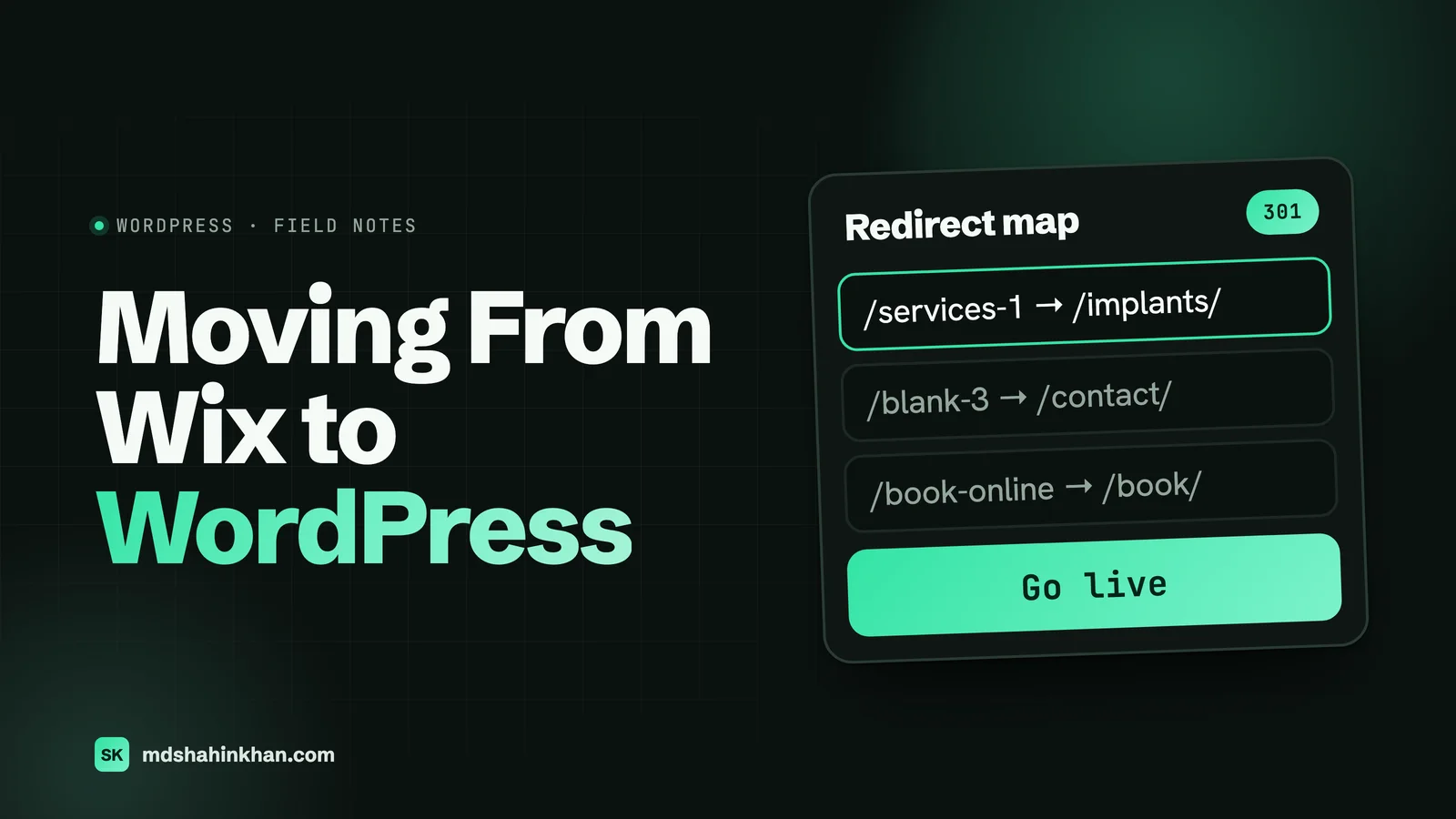
Here is what a typical map looks like for a small service business moving off Wix:
| Old Wix address | New WordPress address | Redirect needed? |
|---|---|---|
/ | / | No |
/about-us | /about-us/ | No, same slug |
/services-1 | /dental-implants/ | Yes, 301 |
/blank-3 | /contact/ | Yes, 301 |
/post/how-much-do-implants-cost | /post/how-much-do-implants-cost/ | No, with the /post/%postname%/ permalink |
/product-page/whitening-kit | /product/whitening-kit/ | Yes, 301 |
/book-online | /book-appointment/ | Yes, 301 |
The rules I follow when building one:
- Every old address goes somewhere specific. Not everything to the homepage; Google treats mass redirects to the homepage much like missing pages.
- Redirect to the closest match. An old service page goes to the new page for that service, not to a general services page.
- No chains. Old address to final address in one step, not through an intermediate page.
- Old addresses with
#!in them come from very old Wix sites. The part after#never reaches the server, so these cannot be redirected by a normal 301; they need a small script on the homepage. Most Wix sites built in the last several years do not use them.
After launch, Search Console’s Page indexing report will list old addresses as “Page with redirect”, which is exactly what you want. If you see a wave of “Not found (404)” instead, a redirect is missing. Google says it can take a few weeks or more for the new addresses to replace the old ones in search results, and some ranking movement during that time is normal.
Replacing Wix Apps in WordPress
| On Wix | In WordPress |
|---|---|
| Wix Forms | A form plugin or your page builder’s form, with SMTP set up for delivery |
| Wix Bookings | A booking plugin, or a link to the booking software you already use (most practices and shops have one) |
| Wix Stores | WooCommerce; export products from Wix as a CSV and import with WooCommerce’s product importer, then check options and images |
| Wix Blog | WordPress posts, the thing WordPress was built for |
| Wix SEO settings | An SEO plugin for titles, descriptions, sitemaps and schema |
| Wix Members | A membership plugin, if you need logins at all |
| Wix Chat | A chat plugin, or a click-to-call and text button on phones |
| Wix analytics | Google Analytics and Search Console |
If your Wix site is mostly a store, compare Shopify and WooCommerce before you choose where the products go.
How Long It Takes and What It Costs
| Cost | Doing it yourself | Hiring a developer |
|---|---|---|
| Hosting | From about $3 a month on a long term, renewing higher (Hostinger Premium: $2.99, renews at $10.99) | Same |
| Domain | Unchanged if you keep it where it is | Same |
| Theme or page builder | Free to about $60 a year | Usually included in the build |
| Your time or the build | Evenings and weekends; most of it is the design | A quoted project |
Prices for the build vary more than anything else here. Codeable, which runs a WordPress freelancer marketplace, puts basic content transfers on Fiverr at $25 to $80. That buys copying content into a ready-made theme; it rarely includes the redesign, the redirect map, forms and email setup, or the checks after launch, which are the parts that protect your rankings. Ask what is included before comparing quotes.
On time: for a small service site of 10 to 15 pages, the move itself is a few days of work, and most of the calendar time goes on design decisions and reviewing pages. Plan the launch for a quiet week, never the day before a promotion.
Doing It Yourself or Hiring Someone
You can do this yourself if the site is small, you are comfortable in WordPress, and you follow the redirect and launch steps carefully. I would hire someone when:
- the site brings in customers from Google and you cannot afford a dip,
- there is a store, a booking system or a member area to move,
- the domain and email are tied up with Wix and you are not sure what the DNS records do, or
- you want the move to double as a redesign.
For dental practices, law firms and auto shops, the move is also the moment to add the pages a builder made awkward; my pages on websites for dental practices, law firms and auto service centers show what I build for each. If you are still deciding whether to move at all, my comparison of Wix, WordPress and Squarespace covers when a builder is still the right choice. If your traffic dropped after a move somebody else did, this guide to a website not showing up on Google includes a recovery checklist.
Frequently Asked Questions
Is It Better to Use WordPress or Wix?
It depends on what the website has to do. Wix is better for owners who want to build and edit a simple site themselves with no maintenance. WordPress is better when the site has to grow through search, needs features Wix does not have, or must stay fully yours if you change provider. For a business that depends on its website for new customers, I would choose WordPress.
Does WordPress Work With Wix?
Not directly. They are separate platforms: a Wix site runs only on Wix’s servers, and WordPress runs on your own hosting. You cannot install WordPress plugins on Wix or run a Wix site inside WordPress. Moving from one to the other means rebuilding the site in WordPress and carrying the content across.
What Is the Downside of Wix?
The biggest one is that you cannot take the site with you: Wix sites cannot be exported, and blog posts cannot be moved to other platforms. You also have less control over speed, structured data and URL structure than on WordPress, and on the standard editor you cannot switch templates once the site is live. For a simple site these limits rarely matter; for a growing business they eventually do.
Can I Transfer My Domain Out of Wix?
Yes. In your Wix account, choose to transfer the domain and Wix emails a transfer authorization code to the domain’s registered contact; you give that code to your new registrar. You cannot transfer a domain within 60 days of buying it, or within 60 days of changing its registrant details. You can also keep the domain at Wix and point it at your new hosting by editing its DNS records.
Will I Lose My Google Rankings If I Move From Wix to WordPress?
Not if every old page address is redirected to its new page with a 301, the content that ranked is kept, and search engines are allowed to index the new site. Some movement in the first few weeks is normal while Google processes the change. Rankings are lost when old addresses are left returning “not found” or everything is redirected to the homepage.
How Long Does It Take to Move From Wix to WordPress?
For a small service site of 10 to 15 pages, the technical move takes a few days of work; the design and page reviews usually stretch it to a couple of weeks of calendar time. A store with many products or a large blog takes longer because posts beyond Wix’s 20 most recent are copied by hand. Google then takes a few weeks or more to show the new addresses in search results.
If you are thinking of moving off Wix or Squarespace, book a free 30-minute call and I will look at your current site and tell you what the move would involve, whether or not we work together. You can also see the sites I have built.